

On paper, many GRC software packages offer the same features: risk management, compliance, controls, actions, dashboards…
However, a convincing demonstration does not guarantee that the tool will be suitable for your organisation
A risk evolves, a requirement changes, an incident needs to be analysed, an action falls behind schedule. Does the software enable these situations to be managed effectively, with the right information and the right people?
Does the software help you understand the situation and take action, or do you still need to piece together some of the information elsewhere?
For a CISO or an information security manager, these scenarios are worth testing before making a decision.
Discover 8 practical criteria for evaluating GRC software, along with questions to ask during a demonstration.
Are you already comparing different options? Take a look at our checklist of the 8 criteria and download the assessment grid to prepare your demonstrations.
GRC: governance, risk management and compliance
GRC stands for Governance, Risk and Compliance, namely governance, risk and compliance.
These three aspects are closely linked to information security. Risks must be identified, controls put in place, requirements met and responsibilities clearly defined.
GRC software enables you to coordinate these activities and monitor their progress. To choose the right one for you, here’s what you need to consider beyond just its list of features.
Understanding risks and priorities
1. Is the information provided in sufficient context?
Take an information security risk. Can you identify the associated controls, the relevant requirements or an incident relating to this risk?
Centralisation makes it easier to access data. Linking data together helps us to understand the context when a situation needs to be analysed or a decision has to be made.
Try this out during the demo : choose a risk and ask to see the associated details. Can you understand the situation without having to carry out further research?
2. Can you quickly spot what needs your attention?
With priority risks, pending actions and checks to be carried out, a manager must be able to quickly identify the issues that require their attention.
A useful dashboard displays the information relevant to each role, without obscuring the essentials amongst a multitude of metrics.
A CISO or manager should be able to quickly identify their priority risks, the actions to be taken, the areas requiring reassessment, and the compliance status within their remit.
Try this out during the demo : Log in using a user’s profile. Can you immediately identify the tasks and key points to watch out for relating to that user?
Organising responsibilities and actions
3. Do you know who is responsible for what?
Who checks this control? Who analyses this incident? Who is responsible for carrying out this action, and by when?
Where several departments and processes are involved, the division of tasks must remain clear. Everyone must be able to identify their responsibilities and the corresponding deadlines.
Try this out during the demo : Take a control, an incident and an action. Can you identify the person responsible for each one?
4. Is an action seen through to the end?
A non-conformity is identified or a weakness is detected. A corrective action is decided upon.
What happens next?
Check that the tracking system covers allocation, deadlines, progress, verification and closure, without having to piece the file together from emails and Excel files.
Try this out during the demo : Track a task from its creation to its completion. Which stages does the tool cover?
Keeping abreast of developments and anticipating needs
5. What happens when a requirement changes?
Legal, regulatory and standard-based requirements are changing. To remain compliant, an organisation must identify the changes that affect it and determine their implications for its operations.
Take a requirement associated with a process. If it is amended, is the person responsible notified? Can they view the changes and reassess the process’s compliance?
In SIRIS+, for example, when a requirement associated with a process changes, the relevant manager can be notified that a new assessment is required and can view what has changed.
For a CISO, this monitoring can be particularly useful when new requirements relate to data protection or information security.
Try this out during the demo : Take a requirement that has changed. How is this change identified, reviewed and addressed?
6. Can the software adapt as your organisation grows?
Your GRC scope may expand: new processes, additional risks, more controls, or incident management that needs to be structured.
The solution must be able to keep pace with these changes without requiring everything to be rebuilt from scratch. In particular, check how new features integrate with the information already on record.
Try this out during the demo : If you expand your scope in two years’ time, what changes will be needed?
Ensuring traceability and managing GRC
7. Six months from now, will you be able to understand what happened?
A risk has been reclassified. A control has been revised. A decision has led to a change in a procedure.
During an audit or following an incident, it may be necessary to retrieve previous versions, the results of checks and the actions taken.
Traceability must make it possible to reconstruct the facts, not just to look at the current situation.
Try this out during the demo : Choose an item that has been edited several times. Can you trace its history and understand the successive decisions made?
8. Do the recorded data actually help with management?
A risk matrix, a compliance rate or the monitoring of actions can help to inform the organisation’s priorities.
However, these indicators must be usable by those who make the decisions: process managers, CISO or senior management.
Dashboards and reports should, in particular, enable the preparation of a management review and help to identify issues requiring a decision.
Try this out during the demo : Consider a decision that you need to prepare for on a regular basis. Does the software provide the necessary information to support it?
GRC and ISO 27001 software: what are the specific requirements?
If your organisation implements ISO 27001 or is preparing for certification, choosing a GRC software solution warrants particular attention.
The standard is based on a information security management system (ISMS) which involves, in particular, identifying risks, determining how to manage them, selecting the appropriate security measures and monitoring their implementation.
Apart from the general features of GRC, there are three points worth considering:
When choosing GRC software, you should pay particular attention to three aspects:
- Risk management : Can you keep track of the decisions taken, the measures adopted and their progress?
- The Statement of Applicability (SoA) : How does the tool enable the relevant security measures, the necessary justifications and the status of their implementation to be documented?
- Follow-up to the WSIS : Can you access the results of inspections, non-conformities, corrective actions and information relevant to internal audits and management reviews?
During a demonstration, rather than simply asking:
«Does your software support ISO 27001?»
Ask, for example:
«Show me how I can track the development of a risk, the associated controls and the resulting actions.»
You will thus see how the solution provides practical support for the day-to-day running of your ISMS, going beyond simply listing ISO 27001 amongst its features.
Software can facilitate the management and traceability of the ISMS, but does not, on its own, guarantee compliance with ISO 27001.
Your checklist for the next GRC software demonstration
A demonstration is more informative when it is based on real-life situations rather than simply navigating through menus.
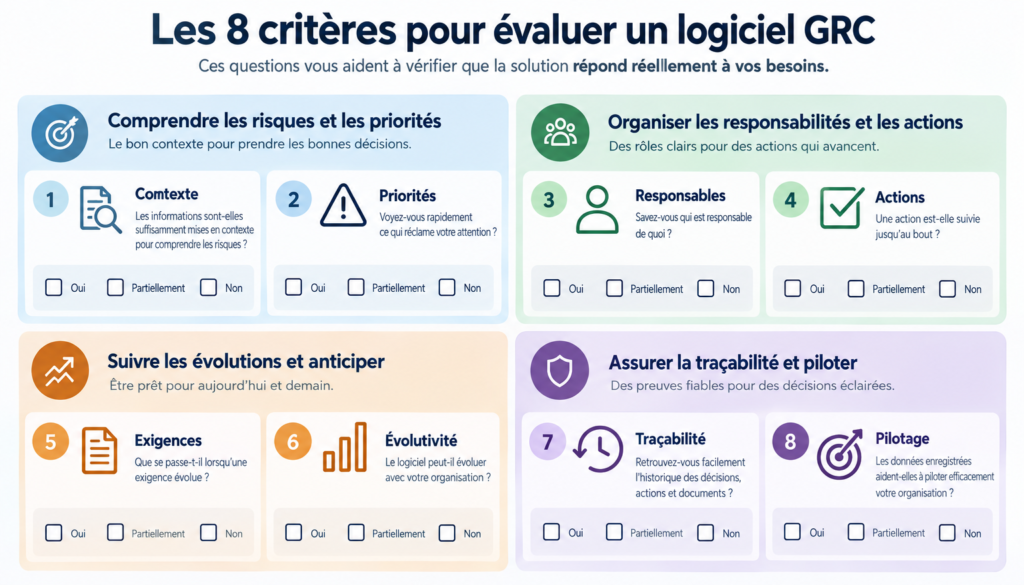
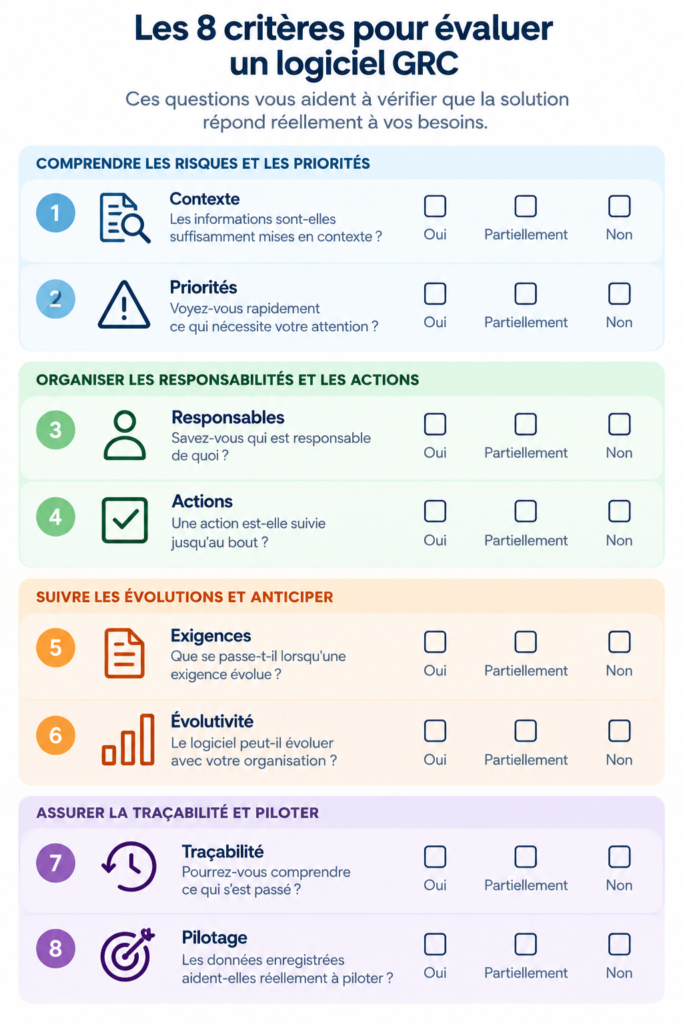
How should this checklist be used?
During the demonstration, tick the answer that corresponds to each criterion: Yes, Partially or No.
Before comparing the solutions, you should also determine how important each criterion is to your organisation: 1 (secondary), 2 (important) or 3 (essential).
A solution may meet seven out of eight criteria and yet still not be right for you if the eighth is essential.
Compare several software programmes using the comprehensive comparison table
Download the A4 version to note down your priorities, the results of the demonstrations and your observations, programme by programme.
Before you make your choice, give the software a go
A successful demonstration is not measured by the number of features showcased.
Request to track a risk, view the history of an audit, deal with a revised requirement or check the progress of an action.
These exercises will enable you to see how each solution addresses the situations your teams will actually encounter.
This will provide you with concrete information to help you compare GRC software and make a choice that is right for your organisation.
Why not try out SIRIS+ using these 8 criteria?
You now have your assessment grid. Why not use it with us too? Ask us these eight questions and find out exactly how SIRIS+ meets them within the context of your organisation.